|
 |
Clicking on the Display lunation button brings up a window which displays all dates in the current lunation (that is, the lunation containing the date displayed), showing daily images of the Moon beginning with the dark moon.
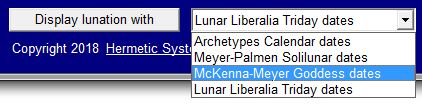 The software supports the display of a lunation in the following lunar calendars:
The example below shows the month of Freya in the year 104 in the McKenna-Meyer Goddess Calendar:
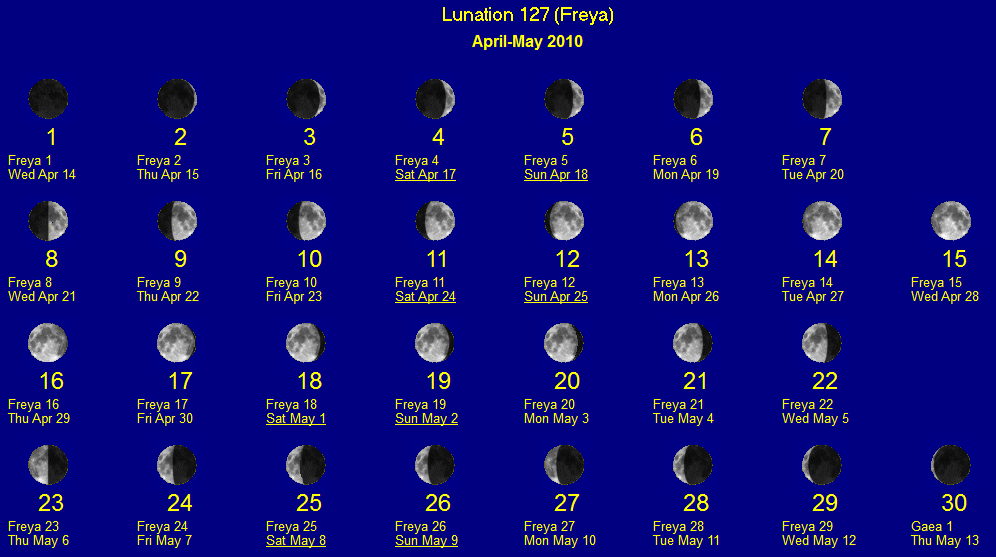
You can select any of the lunar calendars and the lunation display will show the dates in that calendar above the Common Era dates. If the current date is within the month then it is boxed.
The example above shows that a month does not always coincide with a lunation. In the case the lunation begins with the first day of Freya and ends with the first day of the next month, Gaea.
A lunation as displayed always has 29 or 30 days, and the display always begins with the day of the dark moon (in the calendar as used at the specified timezone). The first day of the month in the selected calendar may or may not coincide with that day, but often the calendar month does begin on the day of the dark moon and ends at the day preceding the next dark moon. When this is not so there is usually just one day difference at the beginning or at the end of the month.
In the Hermetic Lunar Week Calendar the last day of the month, rather than the first, is always the day of the dark moon, and due to this difference months in that calendar cannot be displayed as the others can (and in that calendar some weeks have 9 days).
| Contents | Introduction |
| Hermetic Systems Home Page | |