|
German version |
 |
If you have reached that page via clicking on a button in the 'Activate this software' window while running the software then the machine signature will have been transmitted to the textbox automatically.
If the textbox is empty then you can enter your machine signature (as explained below), then proceed to make your purchase. In either case the activation key will be calculated automatically and sent immediately to your purchase email address.
If you do not enter your machine signature then you can obtain it soon after via our request-a-key web page. Directions as to how to do that are given immediately following your purchase.
An activation key is tied to a machine signature, which is a string of characters unique to a particular PC. Thus the machine signature to be entered is the one for the machine on which you will be using the software.
To get the machine signature (if it does not automatically appear in the textbox), run the software. An 'Activate this software' window will open (if not then the program has already been activated so you don't need to get the machine signature).
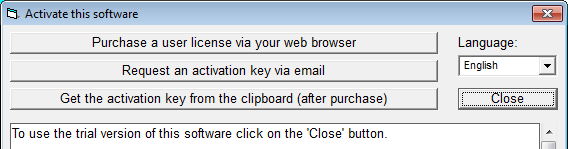
Double-click on the text window and the machine signature will appear, for example:

Highlight this and copy it to the clipboard (using Control-c or right-mouse-click). Paste this (using Control-v) into the 'Machine signature' box on the PayPal order form page:
 |
| Hermetic Systems Home Page |